How to Automate Google Ads Customer List Uploads in 2026
Stop manual CSV uploads. Learn how to automate Google Ads Customer Match using Python, CRMs, and Google Sheets to boost Smart Bidding performance.
If you're still manually exporting CSVs from your CRM and uploading them to Google Ads every Monday morning, you're not just wasting time - you're losing money.
In the 2026 landscape of "Smart Bidding," data freshness is everything. Google's algorithms now auto-include Customer Match lists across Search, Shopping, and Demand Gen (as of Q1 2024). If your list is three weeks out of date, you're bidding on users who have already converted or, worse, ignoring new high-value leads that look like your best customers.
I've been there. Building a script to handle this was one of those "aha" moments where I realized how much of marketing is actually just a data engineering problem in disguise. Let's fix your workflow.
Use this as a conceptual reminder: fresher data usually helps, but the actual lift depends on list quality, volume, and match rates.
This table helps you pick a route based on scale and team capacity. The API route is most flexible, but it only pays off once list sizes and update frequency justify it.
This flowchart highlights the minimal loop: fetch, check for new data, hash, upload, and repeat. In production, you'll also add retries, rate limits, and alerting.
This architecture shows the minimum pipeline: source CRM data, normalize and hash it, then push it into Google Ads. The hashing step is mandatory and must happen before any upload.
This diagram contrasts a manual CSV workflow with an automated CRM-to-API sync. The goal is to reduce staleness and remove human steps that introduce hashing or formatting errors.
Why Automation is No Longer Optional
According to Google's own documentation, Customer Match is a core pillar of Smart Bidding and is supported across multiple inventory types. If you aren't feeding the machine fresh data, your "Lookalike" (now called Optimized Targeting) audiences are hallucinating based on old patterns.
If you import offline conversions or pass GCLIDs/UTMs back into Google Ads, Smart Bidding can optimize for downstream outcomes (like Closed Won in your CRM) instead of just cheap clicks.
Step 1: The Data Architecture
Before writing a single line of code, you need to structure your data. Google requires specific headers. If you're doing a basic email upload, the CSV header must be exactly Email.
Step 2: The Technical Implementation (Python + Google Ads API)
While tools like Zapier are great for low-volume accounts, they get expensive quickly. If you're a developer or have access to one, using the Python client library is the "pro" move.
1. API access and OAuth (required)
Before any code, set up access in Google Cloud and Ads:
- Create a Google Cloud project and enable the Google Ads API.
- Configure OAuth consent and create an OAuth client.
- Generate a refresh token with scope
https://www.googleapis.com/auth/adwords. - Ensure the OAuth user has access to the target Google Ads account (or MCC).
2. Get a developer token
You'll need a developer token from your Google Ads Manager account (MCC). Navigate to Tools & Settings > Setup > API Center.
3. The hashing logic
Google won't accept raw emails. You must normalize them (lowercase, remove whitespace) and then hash them using SHA-256.
import hashlib

def normalize_and_hash(email):
    normalized = email.strip().lower()
    return hashlib.sha256(normalized.encode('utf-8')).hexdigest()
4. Create and run an OfflineUserDataJob
Customer Match uploads use OfflineUserDataJob. You create a job for a specific user list, add operations, then run it.
from google.ads.googleads.client import GoogleAdsClient

client = GoogleAdsClient.load_from_storage("google-ads.yaml")
user_data_service = client.get_service("UserDataService")
offline_job_service = client.get_service("OfflineUserDataJobService")

job = client.get_type("OfflineUserDataJob")
job.type_ = client.enums.OfflineUserDataJobTypeEnum.CUSTOMER_MATCH_USER_LIST
job.customer_match_user_list_metadata.user_list = (
    f"customers/{customer_id}/userLists/{user_list_id}"
)

create_response = offline_job_service.create_offline_user_data_job(
    customer_id=customer_id,
    job=job,
)
resource_name = create_response.resource_name

operation = client.get_type("OfflineUserDataJobOperation")
user_data = operation.create
user_identifier = user_data.user_identifiers.add()
user_identifier.hashed_email = normalize_and_hash(email)

offline_job_service.add_offline_user_data_job_operations(
    resource_name=resource_name,
    operations=[operation],
    enable_partial_failure=True,
)
offline_job_service.run_offline_user_data_job(resource_name=resource_name)
5. Monitor job results and handle errors
Always log partial failures and poll the job status. If you get validation errors, fix the offending identifiers and retry that batch only.
Here is a simplified logic flow of what your script needs to do:
Step 3: Comparing Your Options
Not everyone needs a custom Python microservice. Depending on your lead volume and budget, here is how the options stack up in 2026:
The "Hidden" Growth Hack: Exclusion Lists
Most people use Customer Match to target existing users. The real money is made by using these lists as Exclusions.
If you're running a SaaS and someone just signed up, stop showing them "Sign up now" ads. By automating the upload of your "Current Customers" list, you can exclude them from your Top-of-Funnel campaigns and cut obvious waste.
Compliance Checklist (Customer Match)
- Only upload first-party data with explicit consent for ad personalization.
- Update your privacy policy to disclose Customer Match usage.
- Hash data locally before upload and store raw PII separately.
- Respect opt-outs and keep a suppression list for users who withdraw consent.
- Avoid sensitive categories and comply with Google's Customer Match policies.
- Confirm Customer Match eligibility and minimum list size requirements before targeting.
Why Finding the Right Idea is Harder Than the Tech
Automation like this is a solved problem once you know the steps. If you're looking for what to automate next, pick recurring pain in ad ops and CRM workflows and validate it before you build; I keep a short checklist at SaaS Gaps.
Sources
- Google Ads Customer Match overview
- Customer Match policy requirements
- Google Ads API: Upload Customer Match data
- Google Ads API authorization and OAuth scope
- Import offline conversions into Google Ads
Conclusion: Data is Your Moat
In 2026, the person with the best data wins the Google Ads auction. Manual uploads are a relic of the past. Whether you use a simple Google Sheets sync or a robust Python script, getting your first-party data into the platform is the single best thing you can do for your ROAS.
The chart below is illustrative only. Replace it with your own measured lift once you have real account data.
Need more automation ideas after you ship this? I keep a short list at SaaS Gaps.
Author

Categories
More Posts
Tutorial: How to Migrate Your Spotify Playlists to Apple Music, Tidal, or YouTube Music
Ditching Spotify? Learn how to transfer your music library and playlists to Apple Music, Tidal, or YouTube Music using the best migration tools in 2025.
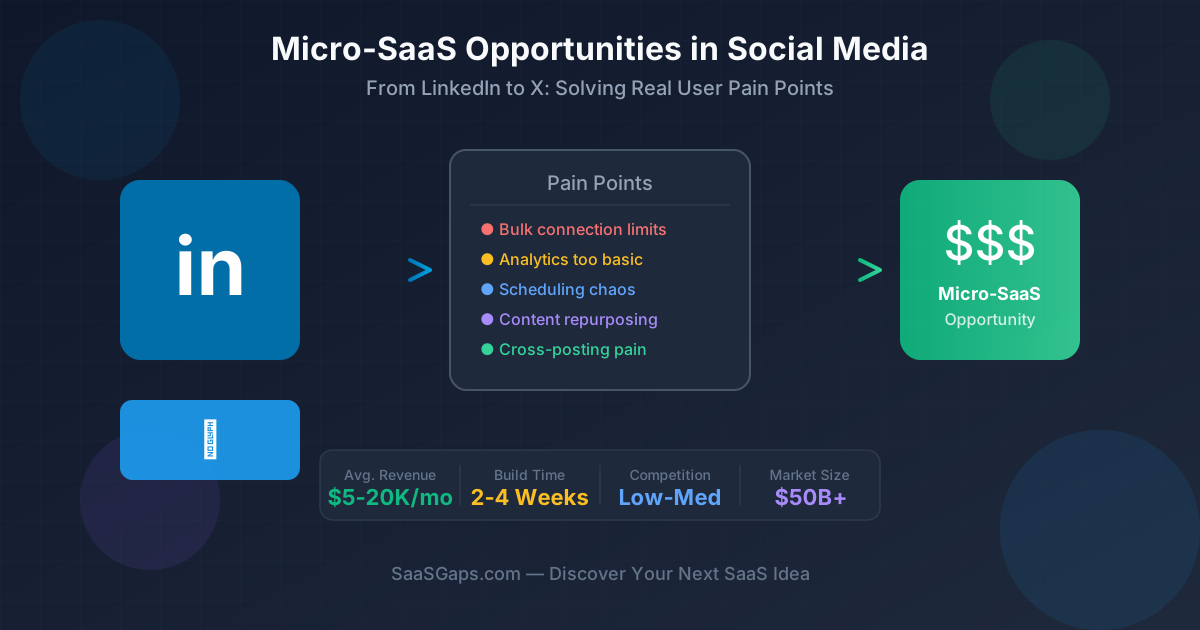
Micro-SaaS Opportunities in Social Media: Solving Pain Points from LinkedIn to X
Real user complaints across LinkedIn and X (Twitter): connection limits, InMail tracking, thread writing, analytics, and bookmark chaos—plus micro-SaaS MVP ideas.
Step-by-Step: Add Stripe Checkout to Your Next.js App for SaaS Monetization
Monetize your SaaS fast! This guide shows you how to integrate Stripe Checkout into your Next.js app with code examples and best practices.
Newsletter
Join the community
Subscribe to our newsletter for the latest news and updates